Sponsor and exhibitor information hub
Welcome to the sponsor information hub.
Thank you once again for your support in the upcoming Ageing Australia State Conference.
This page contains all the vital information you need to know to prepare for the upcoming event, including forms, procedures, delivery and logistics, key dates, and exhibition operational hours. We recommend reviewing this information early and checking back regularly to ensure all requirements are met and deadlines are not missed.
We look forward to welcoming you and your team on the day.
Ageing Australia Events Team
The events team are here to help you with all your registrations, exhibition, sponsorship and event related queries.
Karen Neves, QLD Sponsorship and Trade Liaison or
Leeann Heary, Manager, State Events
T: 1300 222 721
E: [email protected]
Exponet (Exhibition and furniture hire)
Exponet are the official exhibition stand builders. Furniture, signage and other stand requirements may be booked through their dedicated portal.
Ketan Naran, Exhibition Coordinator
E: [email protected]
P: 02 9645 7000
| Due date | Item Due | ||
|---|---|---|---|
| Friday 29 April 2026 | Custom stands, activations and prize draws Please submit any custom stands and stand activation ideas for approval to [email protected] Complete the prize draw form, for any organised prizes to be showcased in the app. | ||
Friday 29 May 2026 | Registration and conference app profile
| ||
Monday 15 June 2026 | Delegate list will be available The delegate list will be distributed in a PDF format by this date. Only the first and last name, job title and organisation will be included. Full payment of your trade/sponsorship booking is required to receive the delegate list. | ||
Wednesday 10 June 2026 | Ageing Australia sponsor and exhibitor briefing call | ||
Friday 26 June 2026 | ICC will begin accepting deliveries Items can be delivered to the venue starting from this date. Please note the venue delivery label will need to be completed and attached to each item. | ||
Bump in and registration open
- Pre-event workshop: 10am - 5pm
- Registration open: 1pm - 5pm
- Bump-in: 3pm - 5pm
Day 1 Conference and Exhibition
- 8am - 5pm: Registrations open
- 8am - 4pm: Trade exhibition open
- 9am - 5pm: Speaking sessions
- 10am: Exhibitor morning tea
- 10.30am: Delegate morning tea
- 12pm: Exhibitor lunch
- 12.30pm: Delegate lunch
- 3pm: Exhibitor afternoon tea
- 3.30pm: Delegate afternoon tea delegates
- 6.30pm - 11pm: Conference Dinner
Day 2 Conference and Exhibition
- 8am - 5pm: Registration open
- 8am - 4pm: Trade exhibition open
- 9am - 5pm: Speaking sessions
- 10am: Exhibitor morning tea
- 10.30am: Delegate morning tea
- 12.15pm: Exhibitor lunch
- 12.45pm: Delegate lunch
- 2pm: Exhibitor bump-out
- 3.15pm: Afternoon tea
- 4pm - 5pm: Networking hour
Bump-in
Monday 29 June from 3pm – 5pm
Safety vests and closed toe shoes are mandatory for all exhibitors during move-in and move-out periods.
Check-in:
Upon arrival at Royal ICC, check in at the registration area to collect your name badge and lanyard, which must be worn at all time during the conference.
Bump out
Wednesday 1 July from 2pm*
*Please note that delegates will remain onsite until 5pm, and you are welcome to stay for the remainder of the afternoon for the Networking Drinks.
- Please arrange your own courier to have items picked up.
- Leave all items on your booth clearly named with the shipping labels attached (please print your delivery labels prior to attending).
- Please do not leave any loose items on your booth (except those to be shipped).
- All stands and packaging must be removed from the venue during bump-in.
- For collection of goods, please ensure all items are clearly labelled with the name of the company, event name and collection date.
- Goods must be collected within 24 hours after the conclusion of your event.
Royal International Convention Centre
Address: 600 Gregory Ter, Bowen Hills QLD 4006
Parking:
- The Lower Royal ICC car park is accessed via Gregory Terrace and has 120 car parks. The access to the convention centre and lift is at the back right hand corner (from the driveway entrance), just next to the pay station.
- The Pavilion car park is accessed via O’Connell Terrace (Gate 5) and has over 600 car parks available. Both car parks have number plate recognition, and you must pay for your parking at the pay station before you exit.
Please note, both car parks are not always open and available for use. All guests, exhibitors, suppliers, and contractors are required to pay for parking. More information on parking, pricing and alternate parking locations can be found here.
Loading dock:
- Entry to the loading dock is via Gregory Terrace, Bowen Hills, Queensland 4006. Goods will not be accepted at any other location.
- It is the senders’ responsibility to ensure the delivery address and recipient details are clearly stated and upon parcel drop off.
- Street entrance dimensions are 5m high by 6.68m wide. Large vehicles (semi-trailers) must enter the loading dock from the east (travel via Gregory Terrace towards the direction of Bowen Bridge Road).
- The loading dock will be open from 7am – 3.30pm
Venue forms:
Click the label to download the form
- Royal ICC Exhibitor handbook
Please ensure to read this carefully, and action any required items - Delivery Docket
No deliveries will be accepted prior to this date 26 June. - Food Sampling
All food MUST be declared and submitted for approval by 29 May. - Beverage Sampling
All beverages must be declared and submitted by 29 May. - Internet Connection
Basic WIFI will be available. Upgraded packages can be purchased - On-stand hospitality
(To note nothing items cannot be purchased if an existing sponsorship item is in place)
If you intend to have any food or beverage on your stand please note that you must fill in the relevant form above and is subject to both approval by Ageing Australia and the Royal ICC. Ageing Australia will not approve items that conflict with an existing sponsorship e.g. coffee and ice cream.
All forms must be completed and sent by the outlined due dates to:
[email protected] and [email protected]
Venue rooms:
- Plenary room: Hall B
- Trade exhibition: Hall C
- Conference Dinner: Hall A
- Networking Hour: Hall C
Stand builder
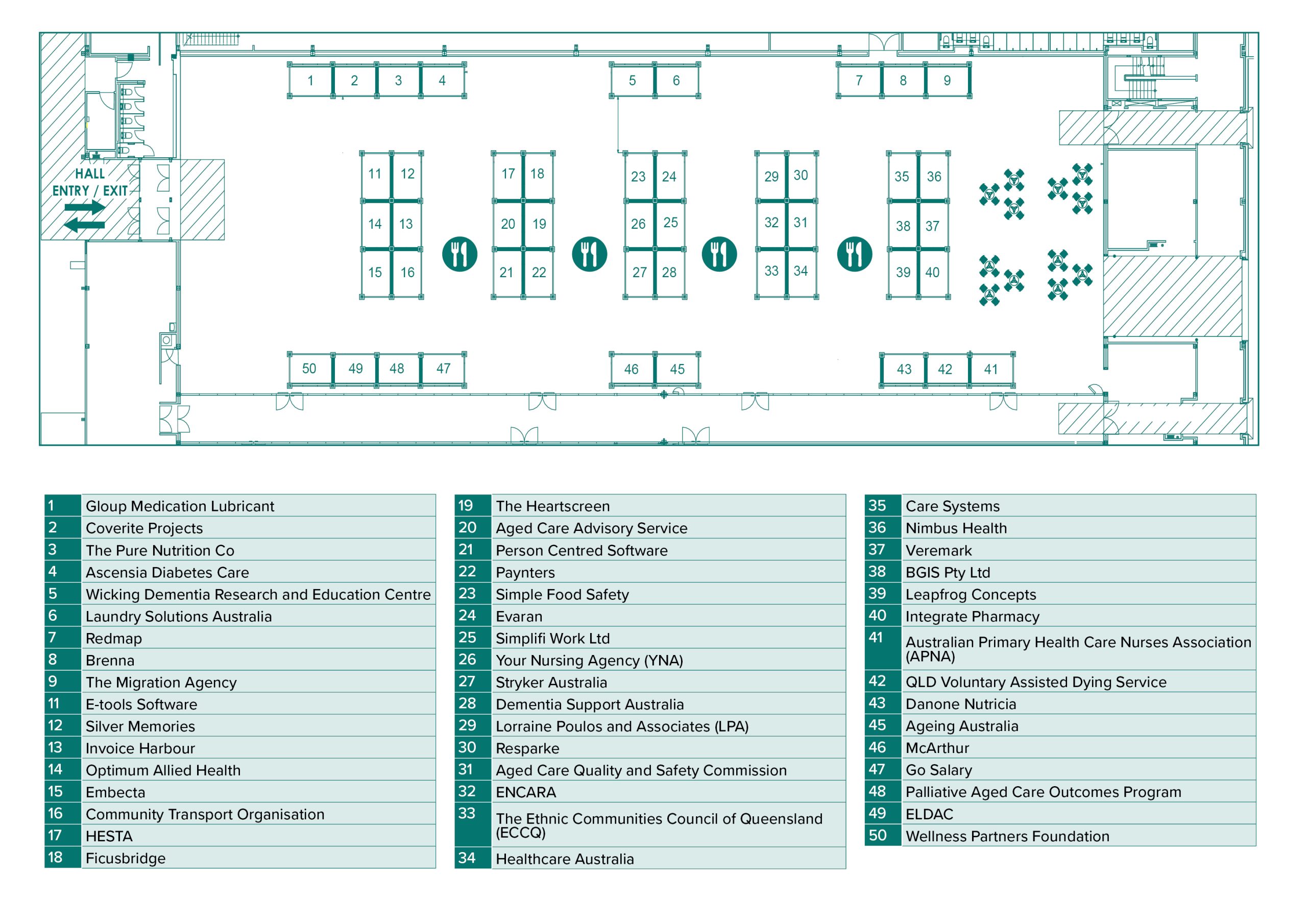
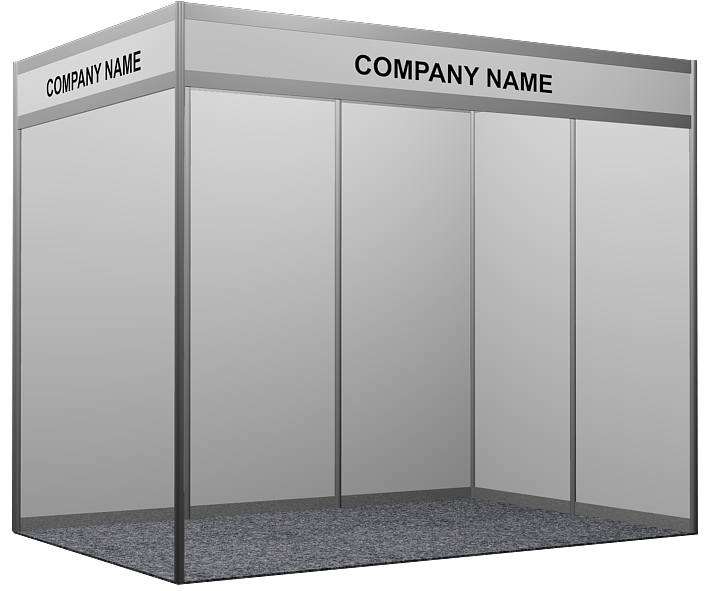
Exponet are the appointed exhibition builders for the event and will assist with all matters regarding the exhibition layout and build. They will contact you directly once you have selected your booth and will be able to assist with the following your booth package inclusions and potential build upgrades.
Please note: Artwork and stand requirements must be submitted by the due date specified by your Account Manager. Late submissions will result in artwork not arriving onsite in time for the event.
Booth shell inclusions |
|---|
Booth dimensions:
Walls:
Furniture:
Fascia:
Lighting:
Power: |
Register your attendees
Registration entitlements:
- Exhibitors: Two complimentary registrations included per trade booth
- Sponsors: Refer to your booking confirmation email or booking portal.
- Each registration includes:
– 1 x ticket to the Networking Reception
– 1 x ticket to the Conference Dinner
– Access to the conference speaking sessions
– Entry to the trade exhibition hall
– Access to onsite catering - Additional sponsor/exhibitor registration prices:-
– Full registration: $605.00
– One day registration: $347.00
How to register your team:
Step one:
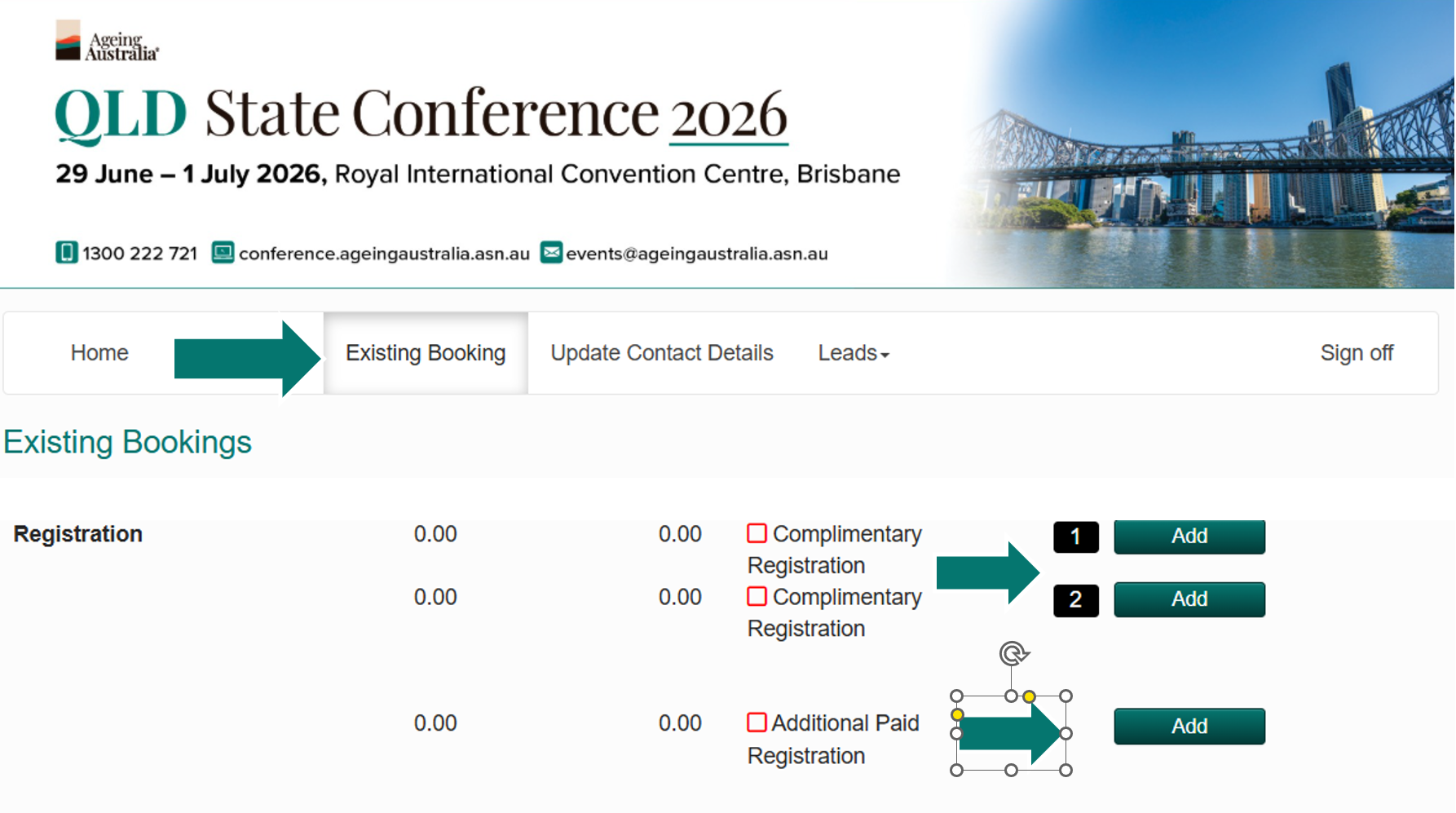
Access your personalised booking portal (located in your booking confirmation emails). If you are unable to locate these emails please reach out to [email protected].
Step two:
Click on the ‘Existing Booking’ tab located on the top navigation panel.
Step three:
Scroll to the bottom of the page. Here you will see links to complete your allocated complimentary registrations, and additional paid registrations underneath.
To note:
All staff and clients attending any part of the conference are required to be registered. Entrance into the trade hall and the conference sessions will not be permitted without a registration.
Sponsor and Exhibitor app overview
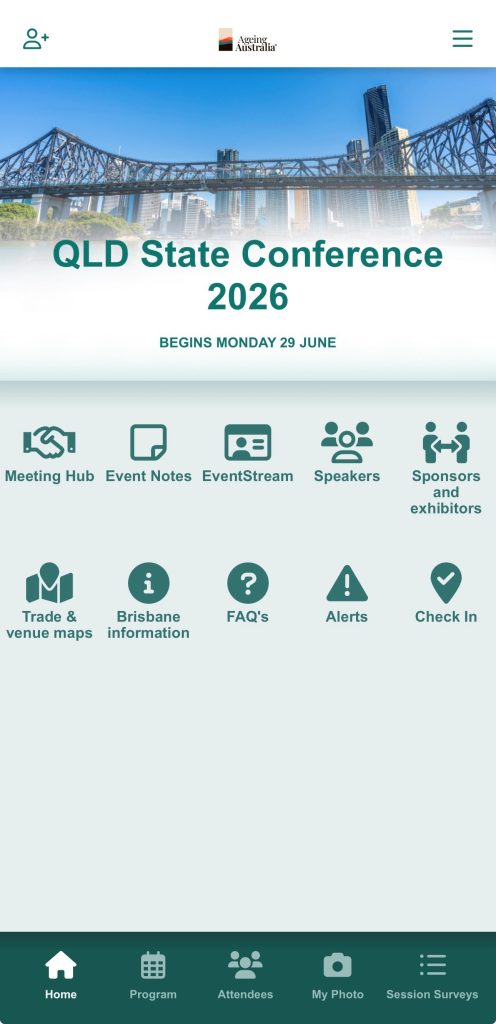
The conference app is your essential tool for connecting and engaging with attendees throughout the conference.
You can use it to:
- View the program:
You will be able to view the full conference program, including session topics, timings, locations and networking functions information. - Explore fellow sponsor and exhibitor profiles:
Sponsor and exhibitor logos, company profiles, brochures, videos, and attending staff will be showcased within their dedicated profiles. - Connect and network with delegates:
Throughout the conference you will be able to connect and chat with delegates through the app at anytime. - Lead capture tool:
Capture and record leads in real time, allowing you to easily collect and manage contact details for people who you meet onsite.
Your personalised login information will be emailed to you two weeks prior to the start of the conference.
Uploading your company information (logo, profile, brochures etc)
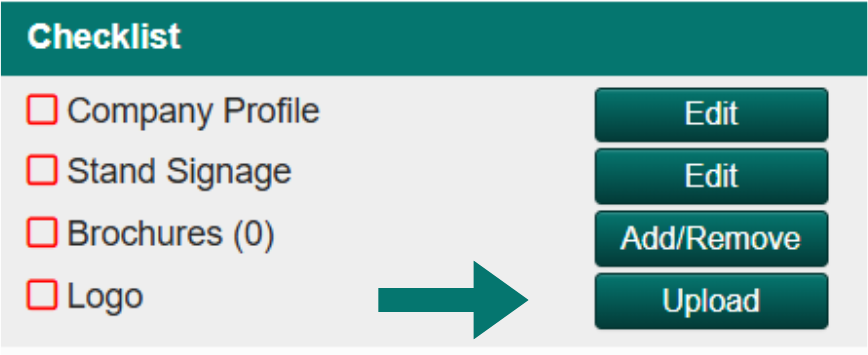
Your company profile will be visible to all attendees within the conference app. To ensure attendees can easily view all your company information, please ensure the below items are uploaded into your booking portal.
Navigate to your booking portal, and click on the ‘Existing Booking’ tab.

Upload your logo
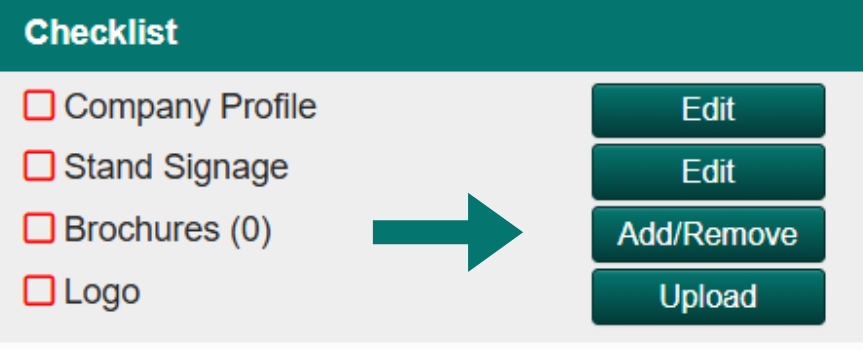
Click on the 'Upload' button located next to the logo checklist. It is recommended that the logo be 600px by 600px format.
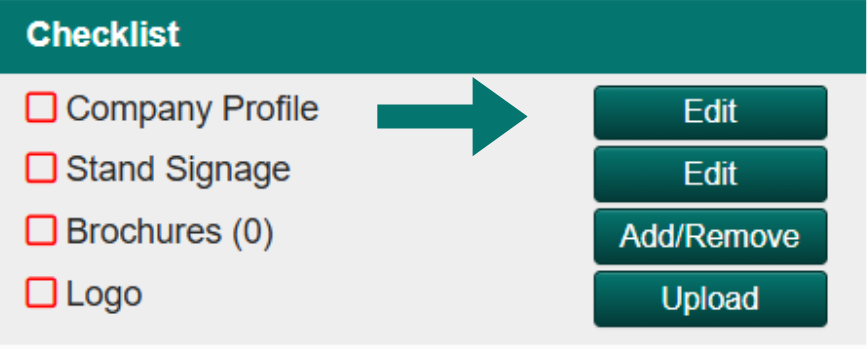
Upload your profile
Click on the 'Edit' button next to the company profile checklist. Add in your company bio. It is recommended that the text is limited to 1 to 2 short paragraphs.
Upload your brochures
Click on the 'Add/Remove' button next to the brochures checklist. Click 'Add New'. Complete the relevant fields and upload your company brochures, video links, or URL's. To note the maximum file size that can be uploaded is 5MB.
Stand signage
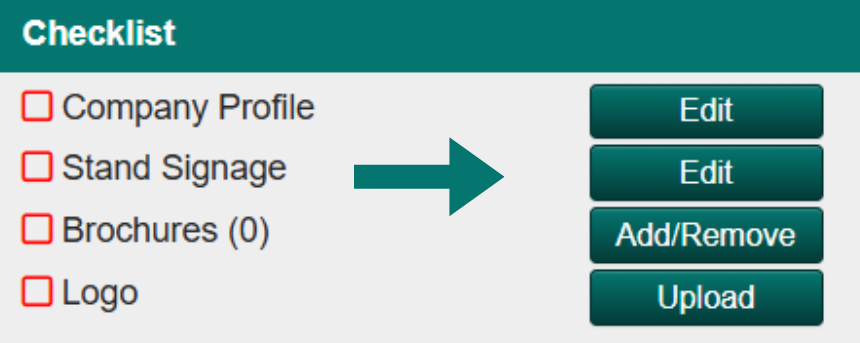
Click on 'Edit' next to the stand signage checklist, if your stand signage is different to your organisation name. You may enter the company name you would like to be referred to here.
Lead management setup
The conference app includes built‑in lead management tools designed specifically for sponsors and exhibitors. By scanning delegate QR codes at your stand, you can quickly capture contact details and add notes or tags to help qualify each lead. All collected leads are stored in your app profile and can be exported to an Excel file at any time, making follow‑up fast and organised after the event. This streamlined process helps you track conversations, prioritise prospects and maximise the value of every interaction during the conference.
Accessing your lead management settings:
- Go to your booking portal link.
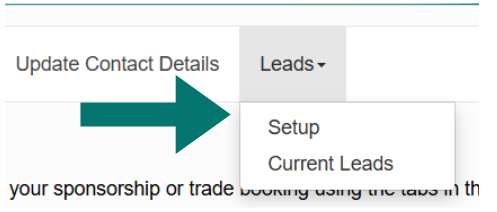
- On the top navigation panel click on ‘Leads’ then ‘Setup’.

Questions:
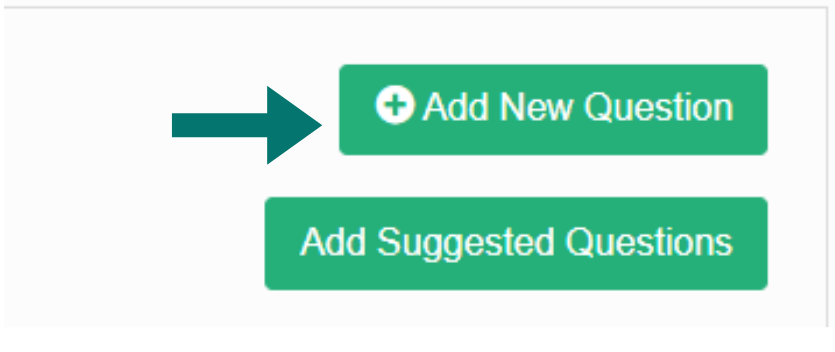
Here you can add custom questions for you to answer about your visiting attendee when you scan their name badge QR code. This helps you qualify leads on the spot — for example, by asking about their role, interests or purchasing needs making post‑event follow‑up more targeted and effective. Click 'Questions' complete the relevant details and click save.
Lead alert email
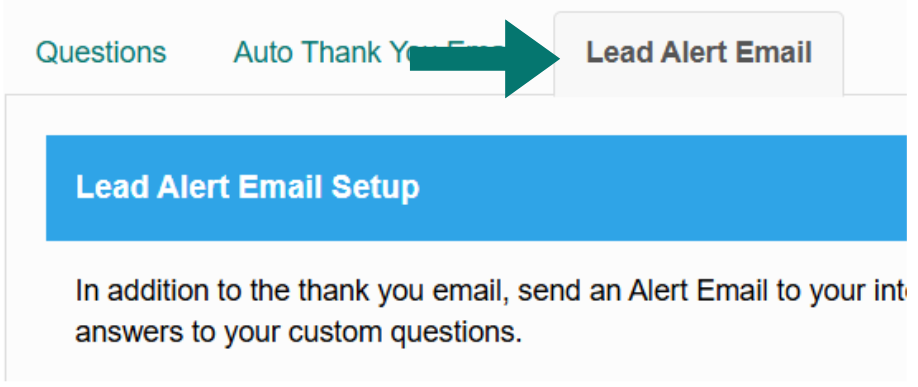
Here you can setup to receive an instant lead alert email, each time someone scans your name badge QR code. This notification keeps your team updated in real time, helping you track engagement during the event and prioritise hot leads quickly. Complete all the relevant fields and tick 'Send lead alert email' to complete the setup and then click save.
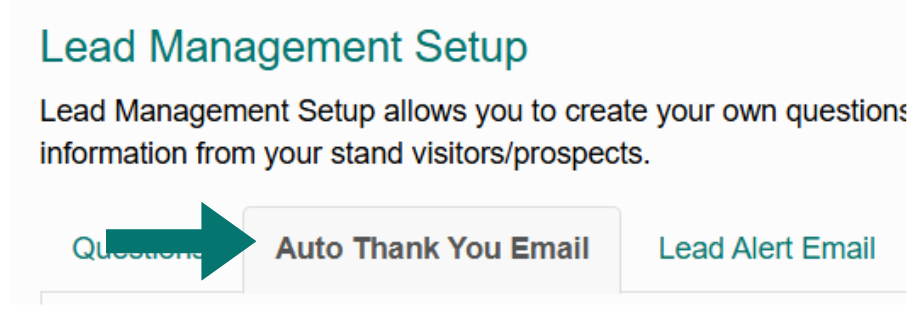
Auto thank you email
After delegates scan your QR code, the app can automatically send them a branded thank you email. This quick follow‑up helps reinforce your connection, share key information about your products or services and keep your organisation top of mind after the event. Click on 'Auto Thank You Email' and complete the required details and save.
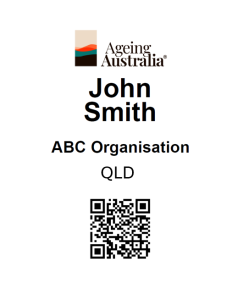
Connecting and capturing leads onsite
Your name badge is your business card!
- All attendees can use the conference app to scan each other’s QR codes and instantly exchange contact details.
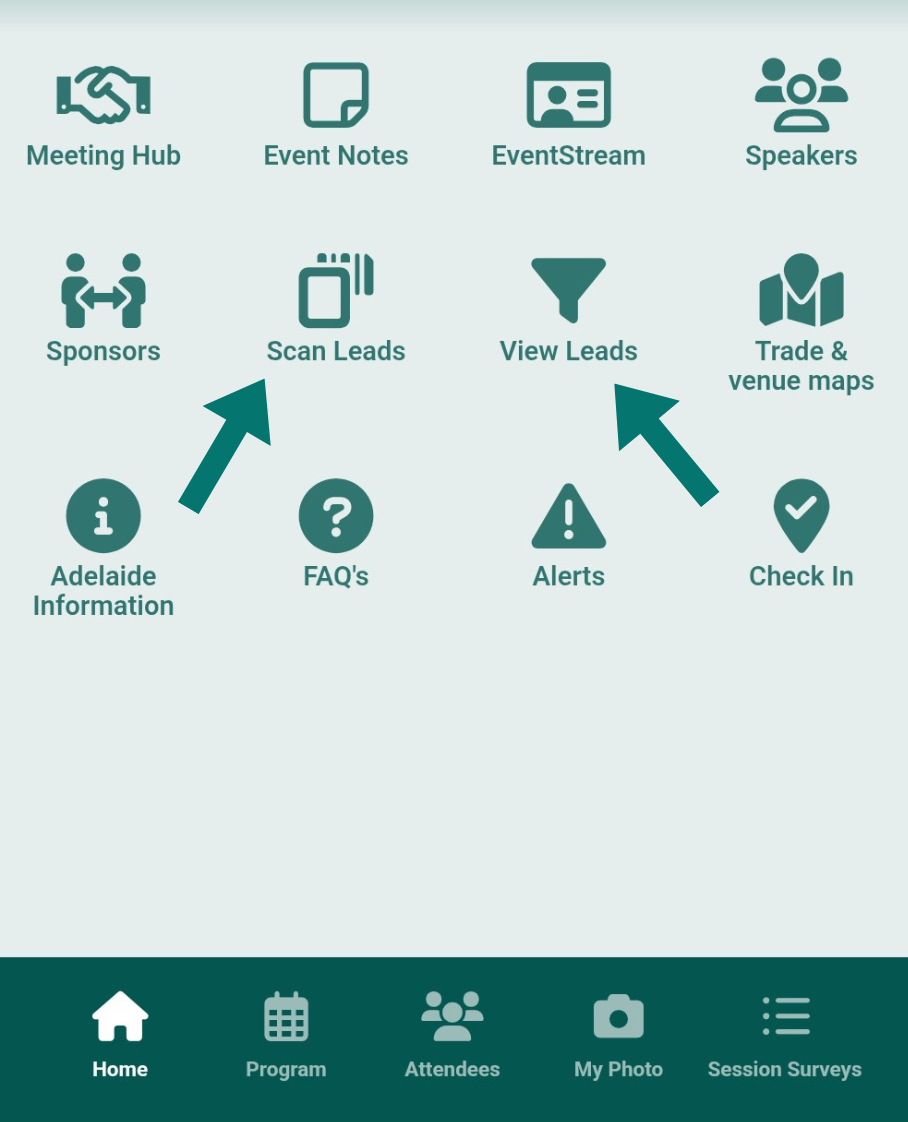
- As a sponsor/exhibitor you will need to do this through the scan leads function.
- At the end of the conference, you can export all your scanned leads into an excel spreadsheet and email it to yourself for easy follow-up’s.
- Please note: each attendee can choose which personal details they’d like to share when connecting with others.
Scanning name badges onsite:
Step 1:
The onsite team will need to be logged into the attendee app. (The login details will be provided 2 weeks prior to the conference).
Step 2:
When you connect with an attendee, select the ‘Scan leads’ feature through the app.
Step 3:
Scan the attendees name badge QR code and also located within their own attendee app.
Step 4:
If enabled submit answers to the profile questions.
Step 5:
During or at the end of the conference, you can export your leads from your booking portal (not the app).
Prize Draws
Feel free to host prize draws during the conference. It is a great way to engage and interact with attendees.
To showcase your prize draw details withing the conference app, please add your prize information to the conference app using your unique booking portal link.
Please note: It is the responsibility of the exhibitor or sponsor to manage the draw and to communicate with winner. Ageing Australia cannot assist with drawing winners.
Editable social media tiles
To promote your attendance at the conference be sure to post on your social media accounts to generate excitement!
Include the conference hashtags below in all social media posts to boost your company’s visibility to a wider audience.
- #AgeingAustraliaQLDConf2026
- #AgeingAustraliaStateConferences2026
- #AgedCareFutures
- #AgeingAustralia
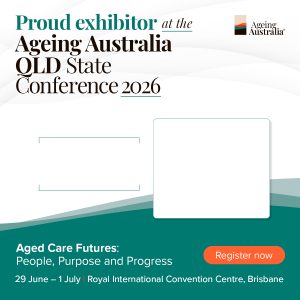
To promote your attendance and a sponsors/ exhibitor, please feel free to use the editable social media tiles linked below.
Event organisers
Ageing Australia Events Team
Karen Neves
M: 0424 296 133
Michelle Arudselvam
M: 0412 344 277
Leeann Heary
E: [email protected]
M: 0413 564 635
Stand Builder